
Guide
Mahjong Solitaire Board Stuck? What "No More Moves" Actually Means
Published July 13, 2026
You've scanned the board twice, nothing matches, and you're one bad board away from closing the tab. Before you do — "no more moves" almost never means the board was unwinnable from the start. It means something much more specific and much less fatal, and it's worth knowing the difference.
What "Stuck" Actually Means
A board is stuck the moment no two free tiles — uncovered from above, open on at least one full side — happen to share a face. Tile count doesn't matter here. You can have a dozen tiles left on the board and still be stuck, if the handful you can currently reach don't pair up with each other. It's a statement about what's reachable right now, not about the board as a whole.
This is a completely normal state to hit, not a sign anything went wrong. As tiles clear, the pool of currently-reachable faces shrinks and reshuffles unevenly by nature — some stretches of a board will hand you three simultaneous pairs, others will hand you none. Getting stuck a few times per board is expected, not a red flag.

Why This Site's Boards Are Different
Here's the part most Mahjong Solitaire games won't tell you: a lot of implementations deal tile faces onto the layout completely at random, then just hope it works out. Some fraction of those boards are mathematically impossible to finish — you could play a flawless game and still lose, with no way to know whether you were stuck because of a mistake or because the board was broken before you touched it.
This site builds every board backwards instead — starting from an empty layout and working in reverse. The generator repeatedly picks two currently-reachable slots and assigns them a matching pair, then keeps going until the whole layout is filled. That's the entire trick: playing that exact process forward, from the finished board, is by definition always a valid solution. So when you hit "no more moves" here, it's guaranteed to be a temporary state given the current arrangement — never a dead board from the start.
What Happens the Moment You're Stuck
You don't actually have to do anything. The instant the board detects there's no legal move left, it reshuffles the faces on whatever tiles are still standing — their positions don't change, only which face lands on which tile — using that same backwards-built guarantee. The very first pair that reshuffle creates is always immediately playable, so one automatic reshuffle clears a stuck board every single time, for free: it doesn't cost you a manual Shuffle use, and you'll see a small notice on screen explaining what just happened.
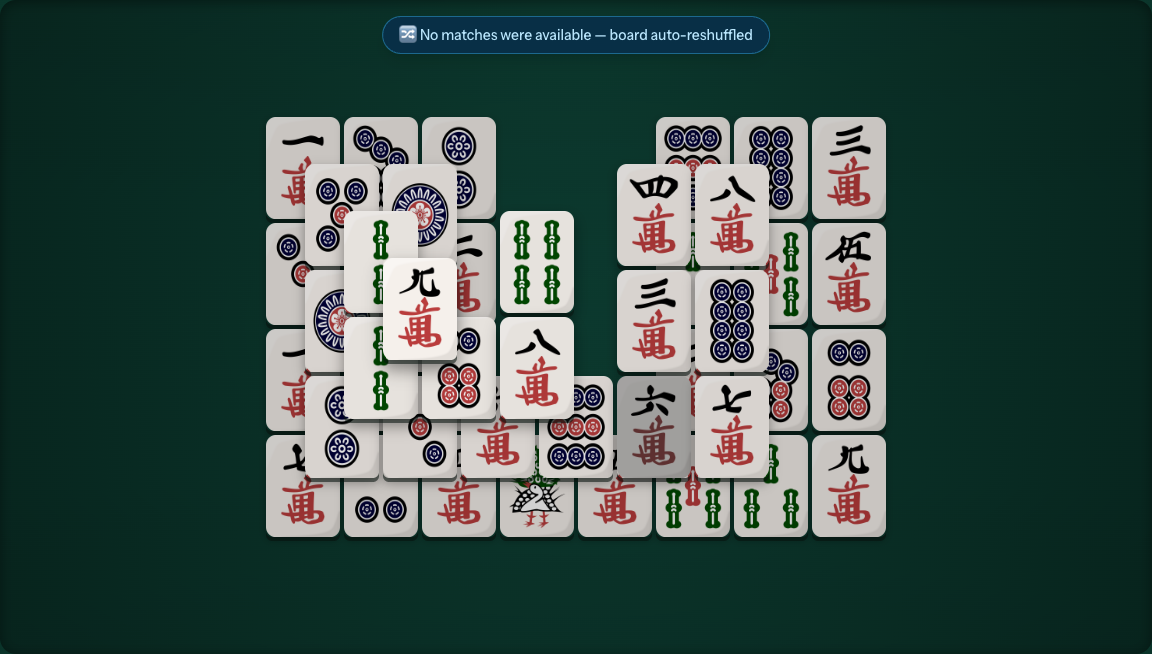
The only time you'd need to bail out entirely is the rare geometric dead end — down to the last couple of tiles, where no reshuffle of just two remaining faces can help. That's what Restart and New Game are for.
Shuffle, Undo, or Hint — Which One, When
All three are limited-use, so it's worth knowing what each is actually for instead of mashing whichever one is closest. Shuffle is your move once you've genuinely confirmed no free pair matches — it re-deals the faces on the board without touching the layout, so use it as a considered decision, not a first resort. Undo is for the moment you realize, half a second too late, that a match you just made blocked a better one — not for every small misclick, since you'll want it in reserve for later in the board. Hint is the cheapest way to break a scanning deadlock: it flashes one currently-free pair for a moment, but it won't plan the rest of the board for you — treat it as a nudge, not a walkthrough.
For the full rundown of matching rules and tile terminology from the beginning, start with the complete beginner's guide.
More Guides
-
How to Play Mahjong Solitaire: A Complete Beginner's Guide
The matching rules from scratch, a full tile glossary, and six strategy tips.
-
Mahjong Solitaire Board Layouts, Ranked
All 10 Level mode shapes plus the 3 Express layouts, ranked from easiest to hardest.